What is LiDAR? The LiDAR instrument emits pulsed infrared laser light into the environment. The light reflected by objects coming back, and you can measure the distance.
Example with the TF02-Pro Lidar Sensor
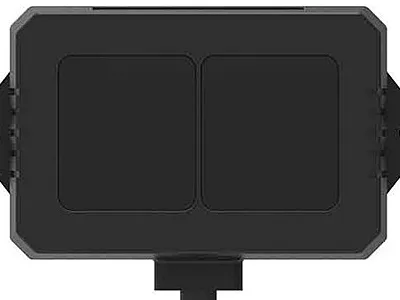
This sensor comes with UART interface. You can use a UART-TTL USB converter to use it with USB.
Protocol of the TF-02
Developing the code to communicate with the TF-02, you need to know the protocol frame: Byte0 → 0x59, frame header, same for each frame Byte1 → 0x59, frame header, same for each frame Byte2 → Dist_L distance value low 8 bits Byte3 → Dist_H distance value high 8 bits Byte4 → Strength_L low 8 bits Byte5 → Strength_H high 8 bits Byte6 → Temp_L low 8 bits Byte7 → Temp_H high 8 bits Byte8 → Checksum is the lower 8 bits of the cumulative sum of the number of the first 8 bytes As you can see, there are 9 Bytes to read.
Example usage with python
You can use the sensor with python, of course other languages as well. In this example, I will use python and the sensor directly connected with my computer. You can use the sensor for a Raspberry Pi as well as you can use it for ESP32 or Arduino.
import serial
import struct
import logging
import datetime

log_level = 'INFO'

# Configure the logger
logging.basicConfig(
    level=getattr(logging, log_level),
    format='%(asctime)s - %(name)s - %(levelname)s - %(message)s',
    handlers=[
        logging.FileHandler('app.log'),
        logging.StreamHandler()
    ]
)
logger = logging.getLogger(__name__)
# Configure the serial port
ser = serial.Serial('/dev/ttyUSB0', 115200, timeout=1)

def read_lidar():
    while True:
        if ser.in_waiting >= 9:
            # Read 9 bytes from the serial port
            data = ser.read(9)
            if data[0] == 0x59 and data[1] == 0x59:  # Check for the start bytes
                # Unpack the data according to the TF-02 protocol
                distance = struct.unpack('<H', data[2:4])[0]
                strength = struct.unpack('<H', data[4:6])[0]
                temperature = struct.unpack('<H', data[6:8])[0] / 8.0 - 256.0

                logger.info('File created event triggered'+str(distance))
                print(f"Distance: {distance} cm, Strength: {strength}, Temperature: {temperature:.2f} °C")

read_lidar()
Firstly, is to use serial to communicate with the TF-02. The baud rate is 115200, this information you can find in the documentation.
ser = serial.Serial('/dev/ttyUSB0', 115200, timeout=1)
#after that
data = ser.read(9)
            if data[0] == 0x59 and data[1] == 0x59:  # Check for the start bytes
                # Unpack the data according to the TF-02 protocol
                distance = struct.unpack('<H', data[2:4])[0]
                strength = struct.unpack('<H', data[4:6])[0]
                temperature = struct.unpack('<H', data[6:8])[0] / 8.0 - 256.0
After open the serial connection, the program reads the first nine bytes and check the frame header 0x59, if it’s the case you can read with struct the rest bytes to read the data.
Use cases
The program above you can use for different purposes. Here some idea’s Mitigation for an evil maid attack. Target the door and if someone open it, during your absence, you could shut down your pc or trigger some record. Distance measure and proximity alert for cars, park backwards alert if you’re too close to an object. Intrusion house alarm, silent alarm if a burglar comes into your house, or a house bell for visitors.